

New Data Grid, Multistage Form Builder, and Landing Page Builder Are Now Live!
A faster, smarter way to run your awards — with a rebuilt form builder, a drag-and-drop landing page editor, and a data grid that actually keeps up with you.
We’ve been working on this one for a while, and we’re really excited to finally get it into your hands. The new Event Organiser Panel — Phase I — is here, and it brings three big upgrades that we think will make a real difference to how you set up and manage your events.
Here’s a walkthrough of what’s new.
Multi Stage Form Builder
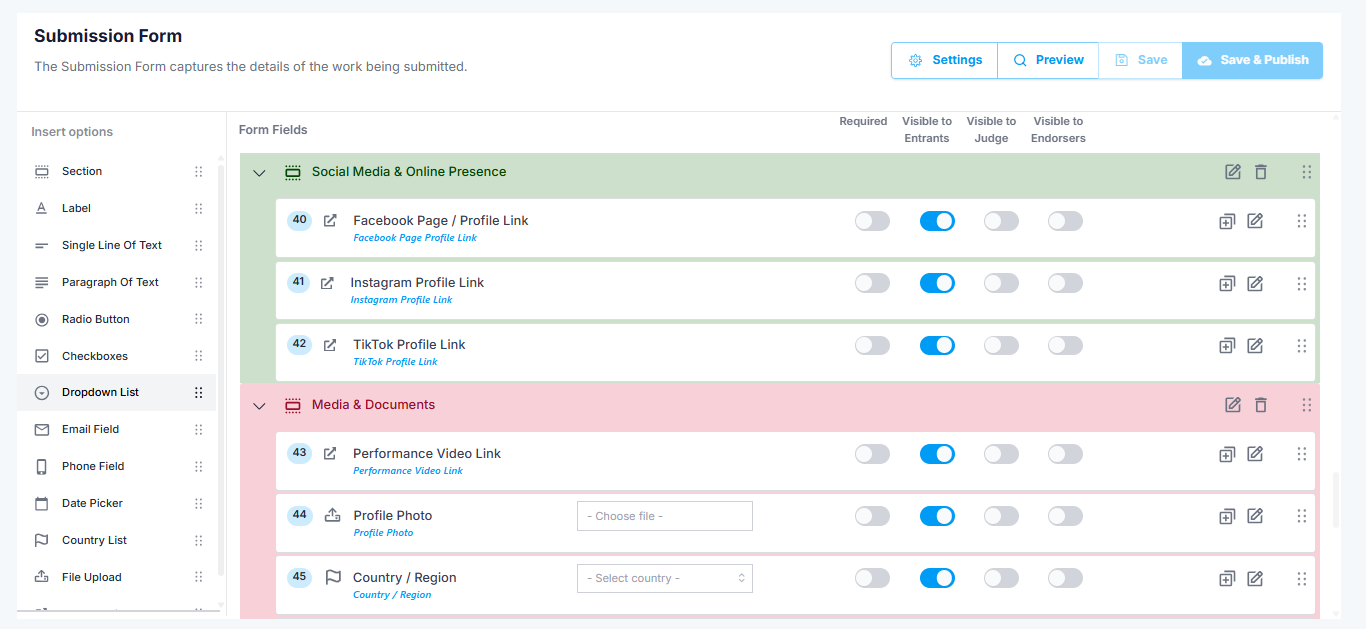
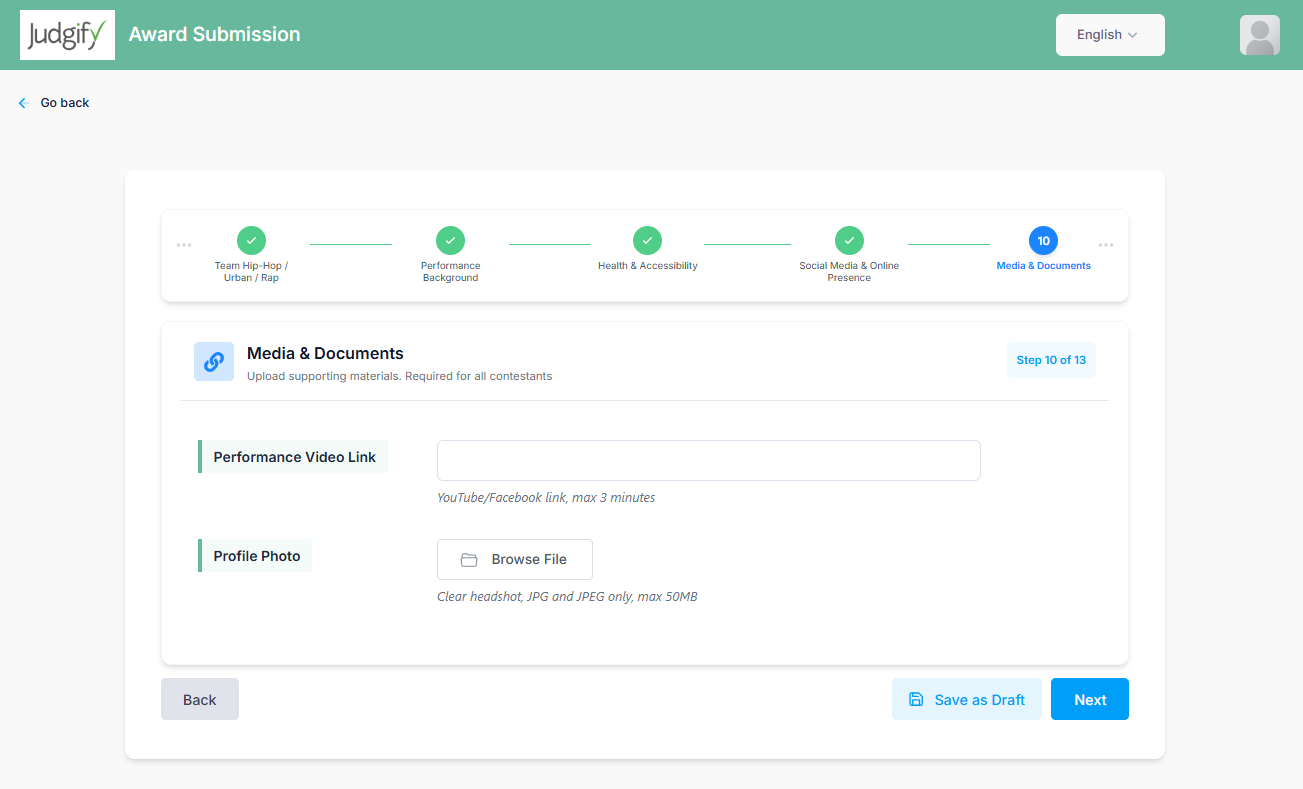
Break long forms into sections — scroll, step-by-step, or accordion. Cleaner for entrants, easier for you to manage.
Advanced Landing Page Builder
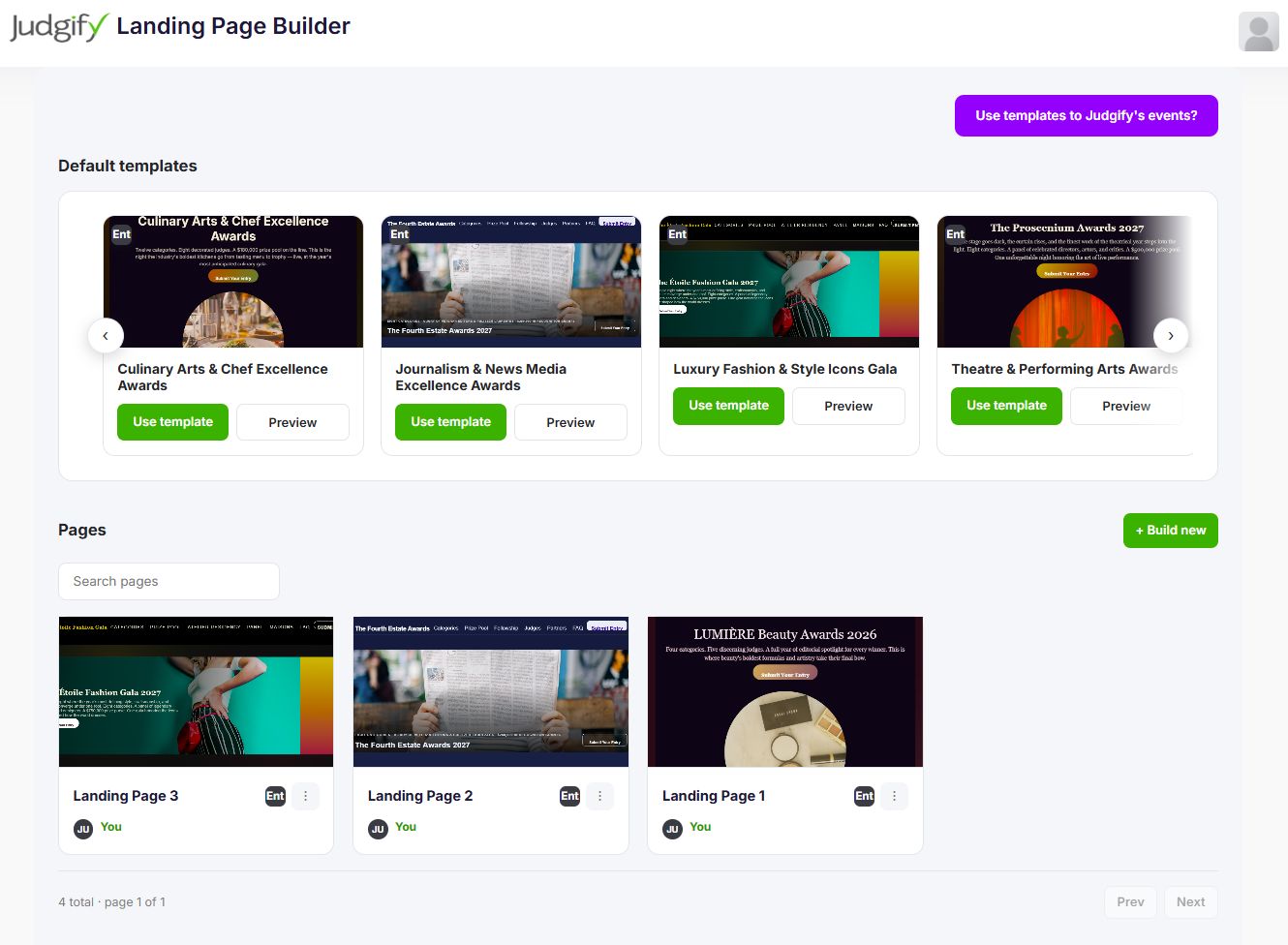
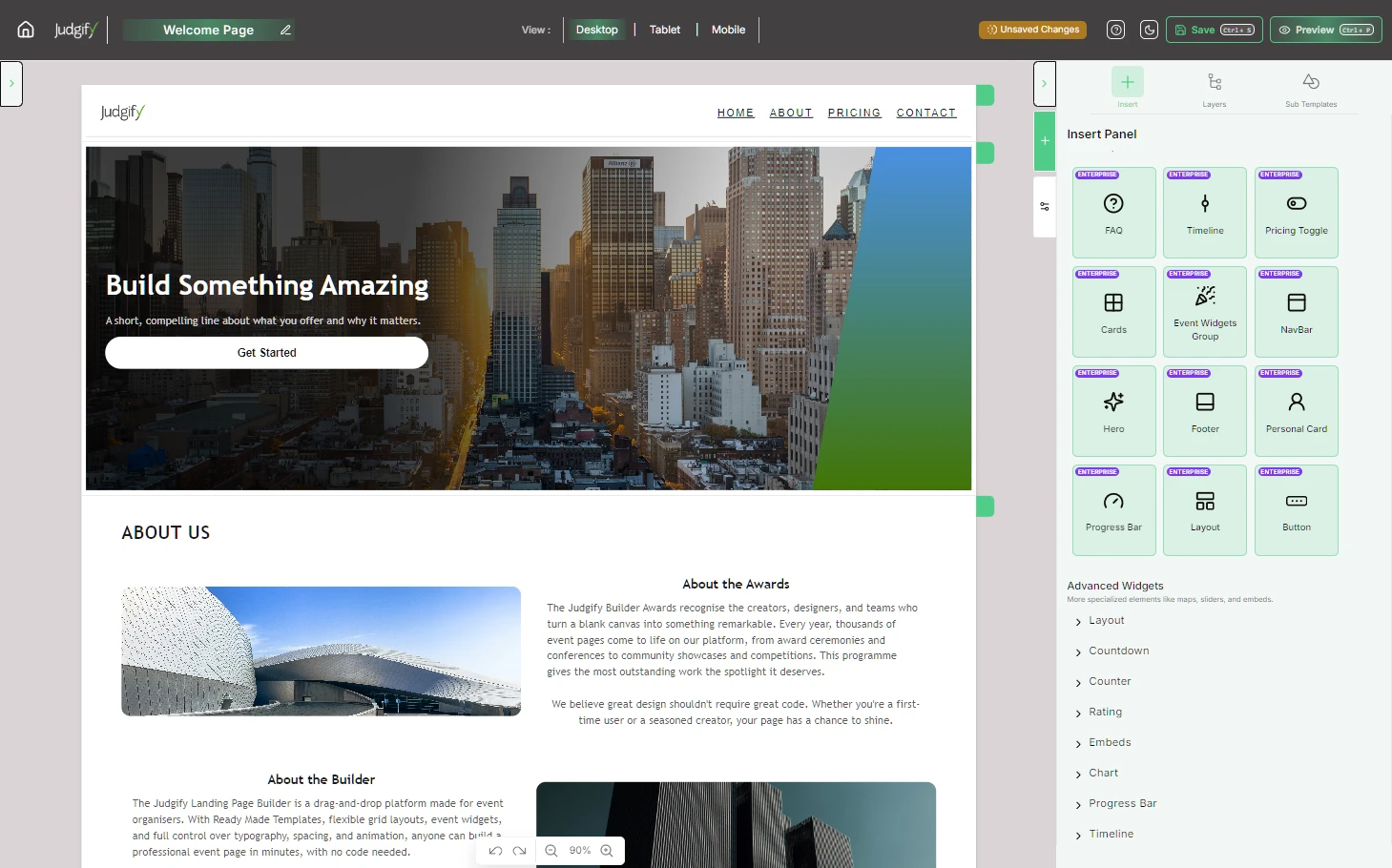
A drag-and-drop editor built into the panel. Start from a template or build from scratch — no code needed.
New Data Grid
A faster, more powerful submission grid. Filter, group, sort, and act on your data without things slowing down.
A form builder that works the way your entries do
Submission forms can get long. Really long. And a wall of fields can feel overwhelming for entrants — which means incomplete submissions, more support emails for you, and a lot of frustration on both sides.
The new Multi Stage Form Builder lets you break a long form into logical sections, so entrants move through it one piece at a time. You choose how it works:
Pick the format that suits your entry process, and your entrants get a much cleaner experience. It’s the same form, just presented in a way that doesn’t feel like a marathon.
Build your event landing page without touching a line of code
Your event’s landing page is often the first thing a potential entrant sees. Up until now, getting it to look the way you wanted meant going back and forth with us, or working around a fairly rigid template.
The Advanced Landing Page Builder changes that. It’s a drag-and-drop editor that lives right inside the Event Organiser Panel — you can build, edit, and preview your page without any technical help. Start from scratch, or pick a pre-built template and customise it to fit your event. Either way, you can have something live in minutes.
A data grid that keeps up with you
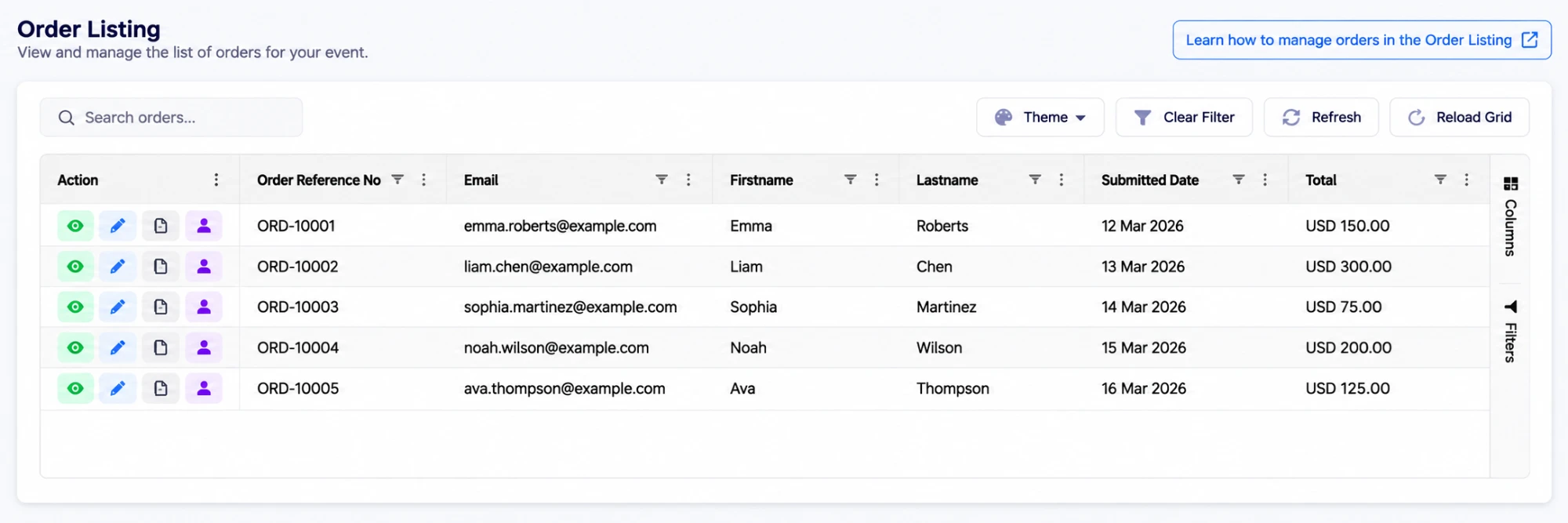
We’ve replaced the old submission grid with a new data grid — a faster, more capable grid for managing your entrants, submissions, and orders in one place.
You can filter, group, sort, and act on your data without things slowing down, even when you’re working with hundreds or thousands of entries. It’s the same information you’ve always had; it’s just much easier to work with now.
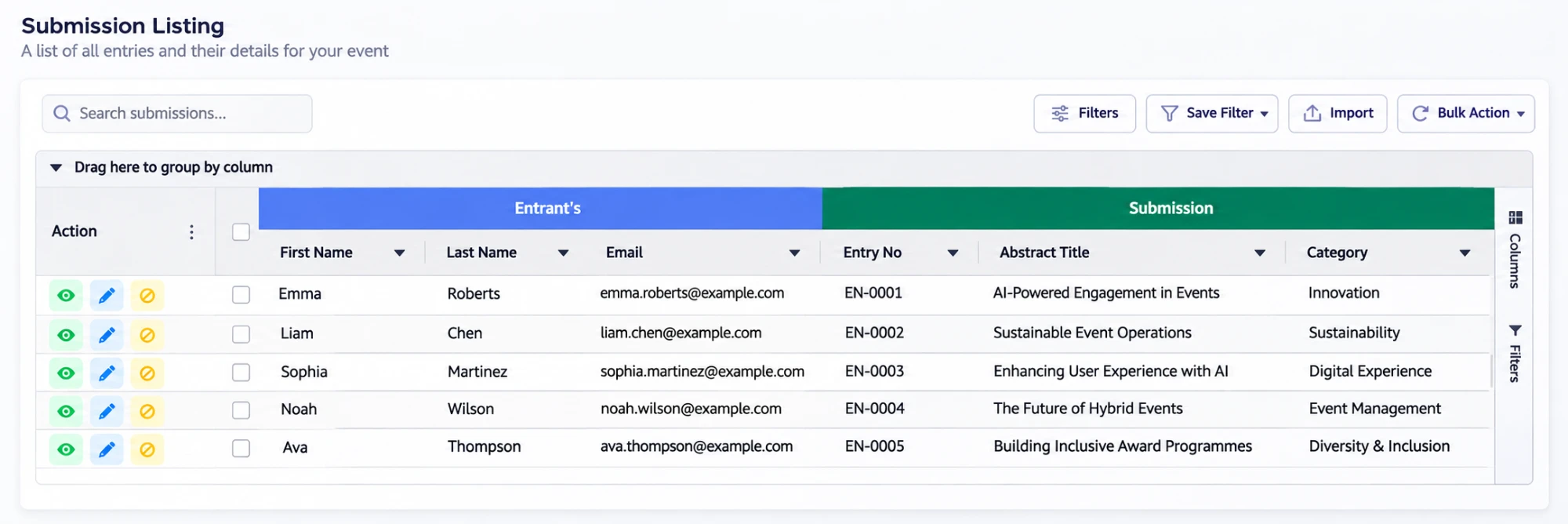
Filter & group
Slice your data any way you need — by status, category, date, or any field.
One grid, everything
Entrants, submissions, and orders — all in the same consistent interface.
Built for scale
Handles large volumes without slowing down — no more waiting on the grid to catch up.
How to switch to the new Event Organiser Panel
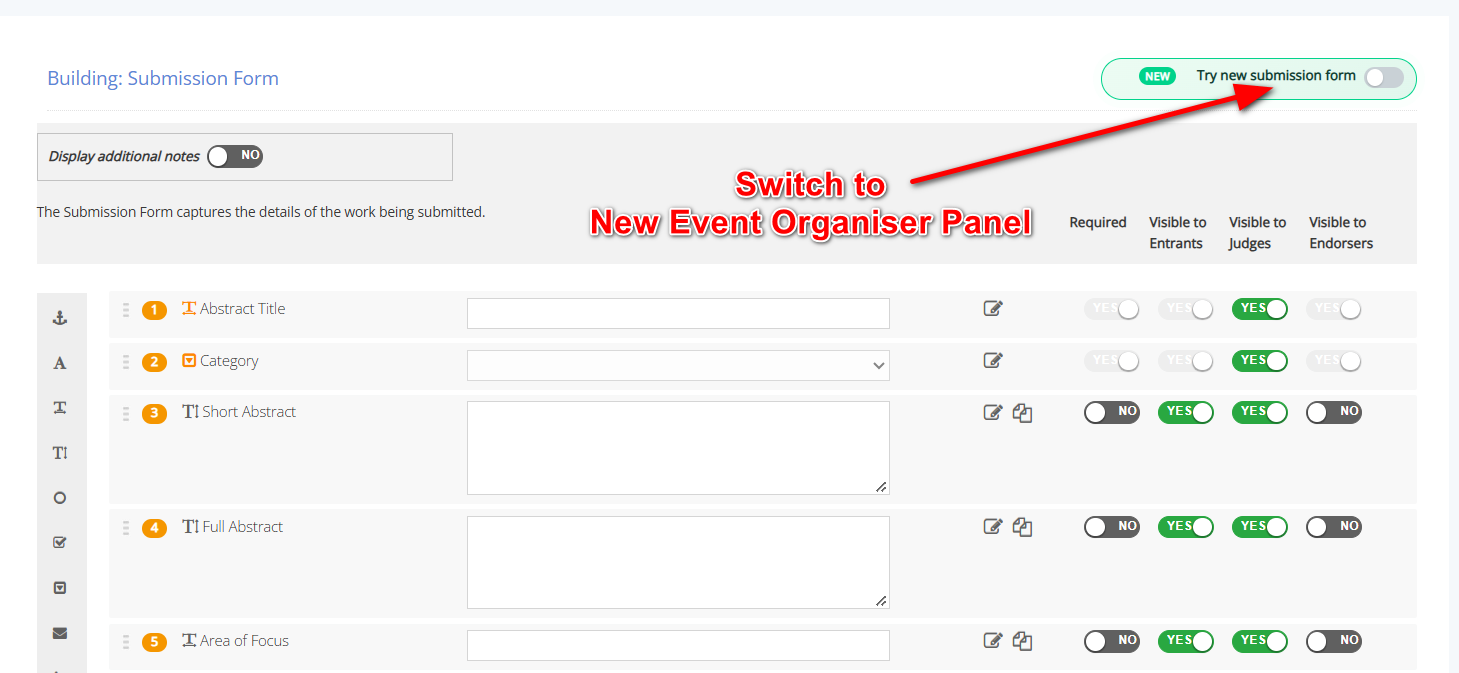
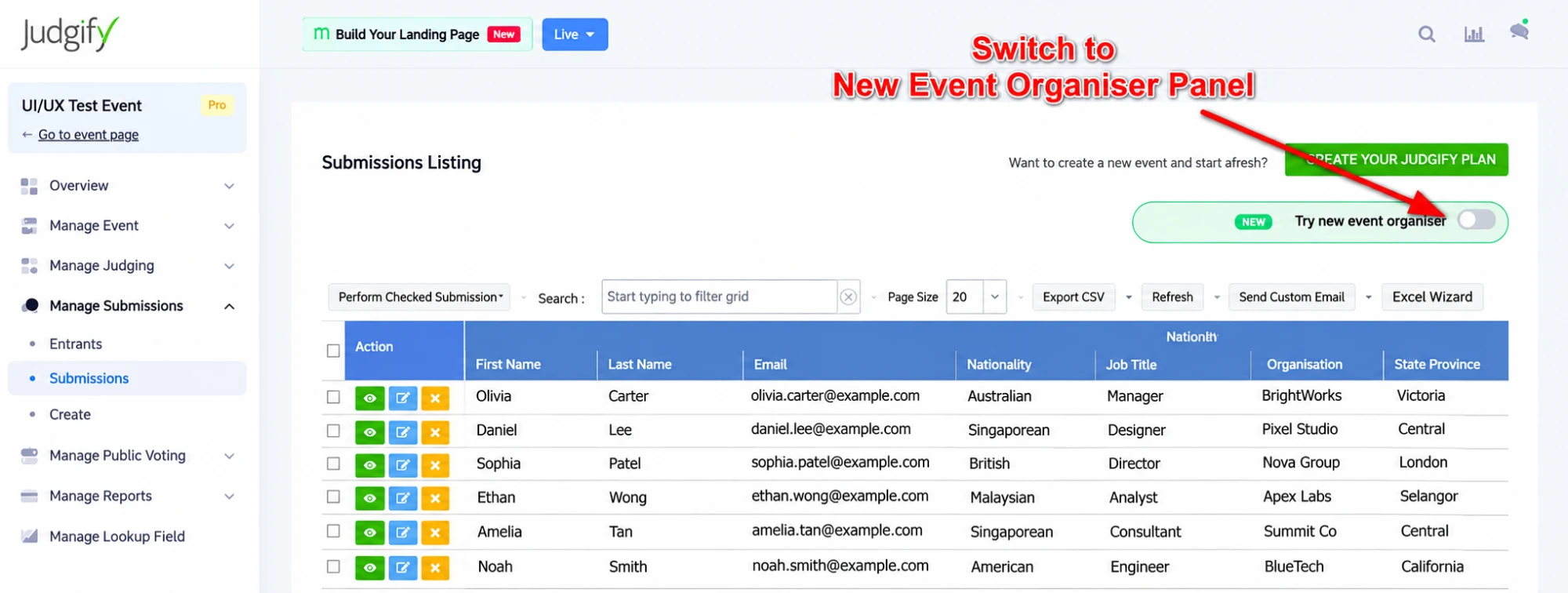
You don’t need to do anything special to get started — the new panel is available to you right now. There are two places you can switch from the classic view:
When you’re in the Submission Form, look for the “Try new submission form” toggle in the top-right corner and switch it on.
On the Submissions Listing page, you’ll find a “Try new submission grid” toggle in the top-right corner. Flip it to try the new data grid view.
Thank you for being part of Judgify. We hope these updates make your work a little easier, and we’re looking forward to hearing what you think once you’ve had a chance to try them out.